











One task, several goals
Some tasks move more than one goal forward. In PerspecTask a task can sit under several parent tasks at once, and subtasks go as deep as you need. Finish it once and every goal it belongs to moves forward.
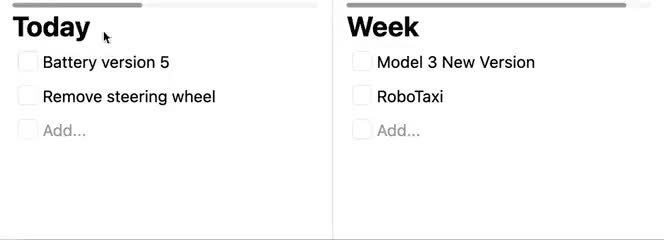
See which tasks matter most
A task that three goals depend on is worth more than one that only helps a single goal. When you can see that, you know what to do first: kill two birds with one stone.
In PerspecTask the same task shows up under each of its parents, so it never hides in one branch of your plan. Check it off in one place and it's done everywhere.
- Shows up under every parent in your task lists
- Graph View draws it under each parent too
- Detach it from one parent and keep the others
- No limit on how many parents a task has
Subtasks as deep as you need
Break a life goal into years, a year into months, and keep going down to what you'll do today. Subtasks have no depth limit, on any plan.
Every task has a progress bar. A parent's progress is the average of its direct subtasks: done and cancelled ones count as 100%, the others count with their own progress. So work at the deepest level climbs all the way up, through every parent.
Time adds up the same way
When you time a task with the timer, its time also counts for its parents. The task window shows the total including all subtasks, so you know how much a whole goal has cost you, not just its last step.
How to give a task more than one parent
Add subtasks
Open a task’s menu and click Add Subtask, or hover the task and press S. Type the title and press Enter.
Add a second parent
Click the “Add to new parent & keep the current ones” icon on a task, or hover it and press A, then click the task that should be its other parent. On the Days or Weeks pages you can also drop one task onto another.
Move or detach
The scissors icon moves a task to a different parent. Detach from parents, in the task menu, removes one parent and keeps the rest.
Frequently asked questions
- Can a task have more than one parent?
- Yes. A task can sit under as many parent tasks as you like. It appears under each of them, and its progress and tracked time count toward each one.
- How deep can subtasks go?
- As deep as you need. There is no depth limit on any plan.
- How many subtasks can a task have on the free plan?
- Up to 5 direct subtasks per task on the free plan, counting done and cancelled ones. Each of those can have its own 5, so depth is still unlimited, and so is the number of parents. Pro removes the limit.
- How is a parent task’s progress calculated?
- It is the average of its direct subtasks. Done and cancelled subtasks count as 100%, and every other subtask counts with its own progress, which is worked out the same way from its subtasks. A done task is always 100%.
- Can a task end up as its own subtask?
- No. Before adding a parent, PerspecTask checks that the new parent is not already one of the task’s subtasks, at any depth, and refuses the link if it is.
- Can an AI agent manage parents and subtasks?
- Yes, for plaintext tasks. The PerspecTask CLI, MCP server and API can create a task under a parent, add or remove a parent, and replace one parent with another. They cannot read or change end-to-end encrypted tasks.
Plan your goals the way they really connect
Start with one big goal, break it down as far as you need, and let one task count for every goal it helps.